Cancel Order
 Logo Slider
 Cart Reservation
 Magic Menu
 PageSpeed
 DeleteX
 ChargeMe
 Age Restriction 18+
 DocumenThemix
 Agile Search
 Newsletter Popup
 IConvert Promotion
 Trusty Sale Proof
 Countdown x Bar
 Xleft
Xleft Jump to Checkout
 PrestaSEO AI++
 Accessibility Guard
 SOO Agent Gateway
 SOO Agent Catalog Tools
 SOO Agent SEO Tools
 GDPR
GDPR Create a new account
Cart Reservation Timer for PrestaShop 9
Cart Reservation Timer for PrestaShop 9
Reserve products for a set time, show a clear cart countdown, and release expired stock automatically when shoppers do not finish checkout.
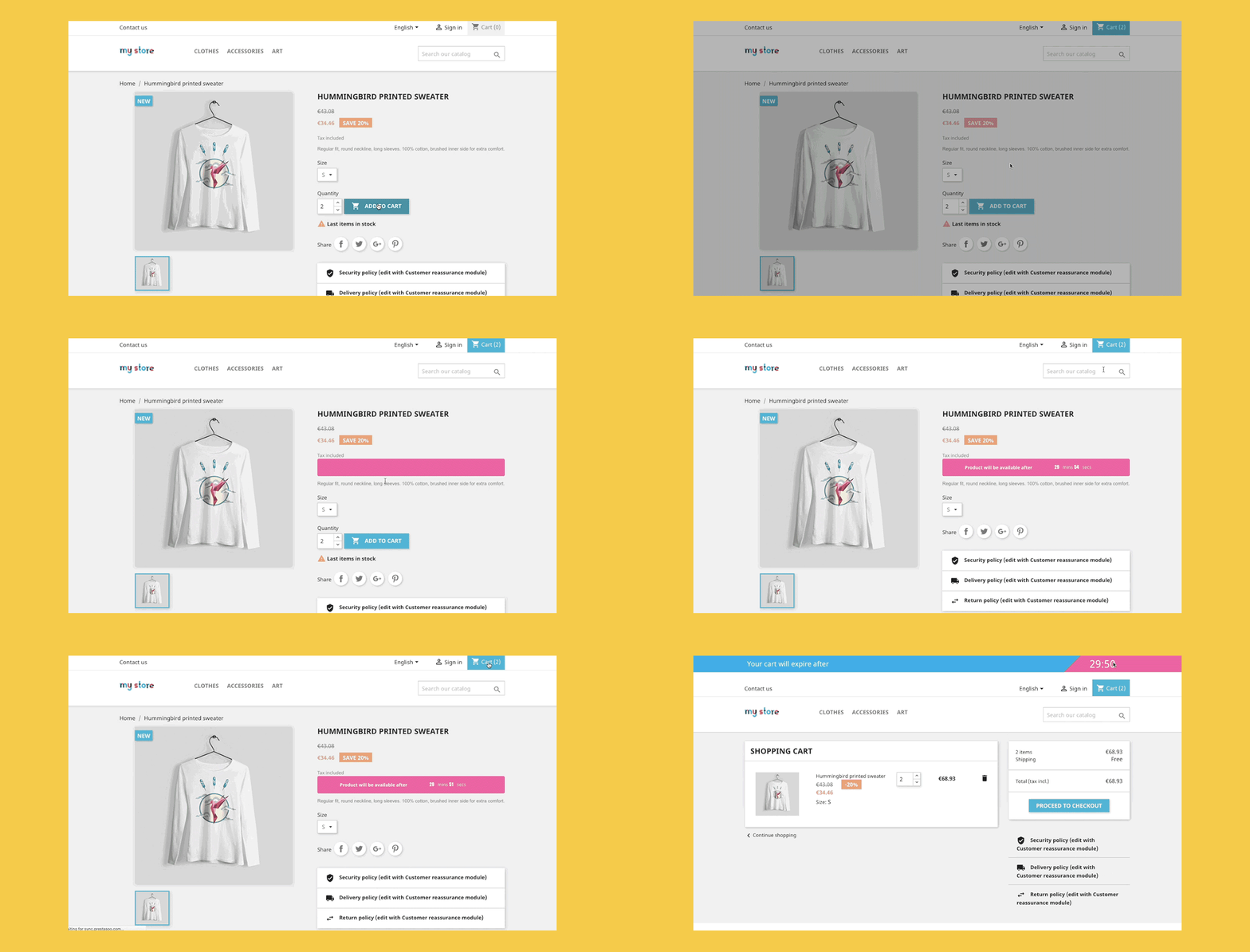
Give shoppers a fair checkout window while protecting limited inventory.
Cart Reservation creates a temporary reservation layer above the normal PrestaShop cart. Products can be held while the timer is running, then returned to stock when the cart expires.
Temporary product reservation
Reserve selected products after they enter the cart, so the customer who claimed the item has time to complete checkout.
Cart countdown timer
Show a visible timer and message so shoppers understand exactly how long the reservation will last.
Automatic stock release
When a cart expires, the module can clear expired products or release the whole cart, depending on your policy.
Limited stock protection
Reduce last-item conflicts when several customers try to buy the same product during a busy campaign.
FOMO notification
Use countdown urgency to clarify availability, not to create noisy pressure or fake scarcity.
Activity cart monitoring
Track active reserved carts and understand how reservation rules affect checkout behavior.
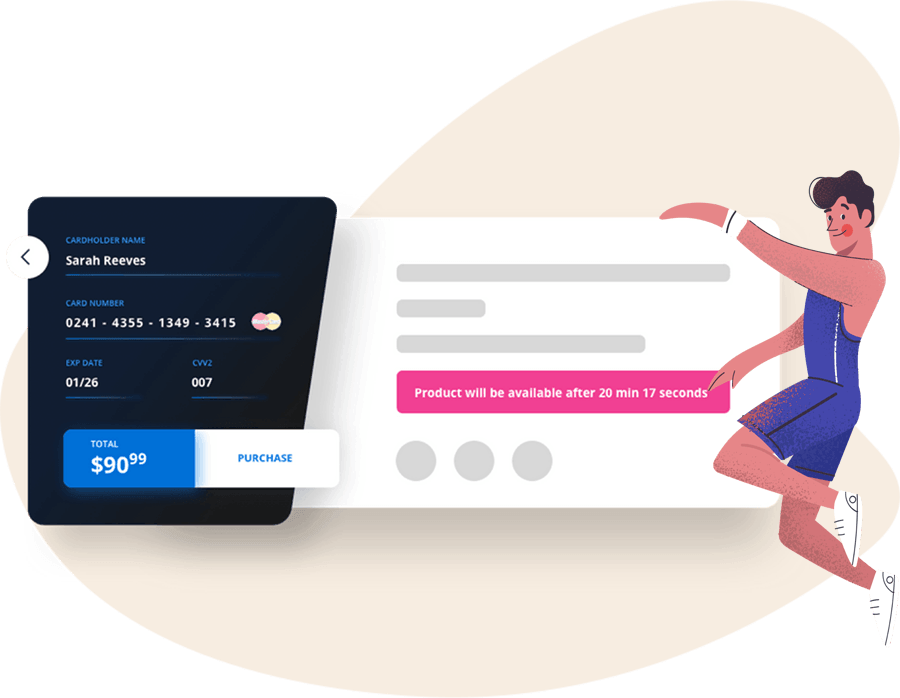
Keep the product available for the cart that reached it first.
For drops, limited runs and flash-sale products, a normal cart can disappoint customers at the last step. Temporary reservation gives each serious shopper a fair checkout window.
- Reserve products for a configurable duration.
- Display a clear warning before reservation expires.
- Release stock automatically when shoppers abandon the cart.
Reduce out-of-stock errors when demand peaks.
The module helps protect the customer experience in situations where stock is scarce and buying intent is already high.
- Useful for flash sales, product launches and seasonal stock.
- Prevents reserved products from being silently taken by another cart.
- Keeps urgency tied to real availability.

From add-to-cart to automatic release.
The flow stays simple for merchants and clear for shoppers.
Add to cart
A customer adds a limited-stock product to the cart.
Reserve quantity
The product is held for the configured reservation time.
Show countdown
The storefront explains how long the reservation remains active.
Release if expired
Expired reservations are cleared so the product can be sold again.
Use reservation when stock pressure is real.
Limited-stock campaigns need a clear rule: the cart can hold the item temporarily, but the store should recover the product when the shopper leaves.


Monitor active carts instead of guessing where stock is stuck.
Reservation rules are easier to trust when the team can see active carts, reserved products and expiration behavior in one operational story.
- Use shorter timers for campaign traffic.
- Use clearer messages for checkout-sensitive products.
- Use stricter cleanup when limited stock must return quickly.
Install cart reservation when a normal cart is not enough.
Flash sales
Hold inventory while customers finish payment, then release products from expired carts.
Limited stock products
Protect the cart that claimed the last available unit first.
Drops and launches
Create a fair checkout window when demand arrives in waves.
Cart Reservation for PrestaShop stores
Use it when limited products, cart expiry and stock recovery need to work together.
Questions merchants ask before installing.
Is this a PrestaShop booking module?
No. It is a shopping cart reservation module for products, stock, countdown timers and cart expiration.
Does it support PrestaShop 9?
Yes. The module is positioned for PrestaShop 1.7, PrestaShop 8 and PrestaShop 9 workflows.
What happens when the timer expires?
You can remove expired products or clear the whole cart, depending on how strict the reservation policy should be.
Can it improve conversion?
Yes, when the timer clarifies availability and avoids overselling instead of creating artificial pressure.
Reserve real stock, then release it cleanly.
Cart Reservation helps PrestaShop stores protect limited inventory, show checkout urgency and recover expired carts automatically.
Start with Cart Reservation