 Cancel Order
 Logo Slider
 Cart Reservation
 Magic Menu
 PageSpeed
 DeleteX
 ChargeMe
 Age Restriction 18+
 DocumenThemix
 Agile Search
 Newsletter Popup
 IConvert Promotion
 Trusty Sale Proof
 Countdown x Bar
 Xleft
Xleft Jump to Checkout
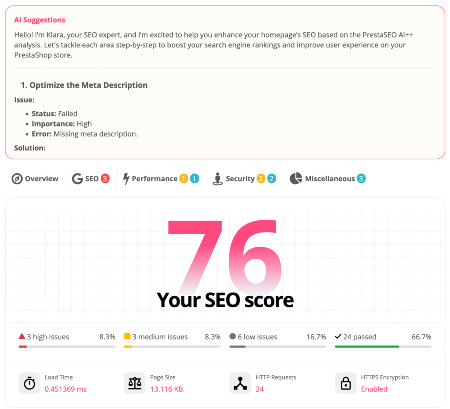
 PrestaSEO AI++
 Accessibility Guard
 SOO Agent Gateway
 SOO Agent Catalog Tools
 SOO Agent SEO Tools
 GDPR
GDPR Create a new account
Best SMTP Provider for PrestaShop (2026 Comparison)
Choosing an SMTP provider for PrestaShop looks like a pricing question and is actually a volume question. Count how many emails your store really sends, then pick the cheapest tier that covers it. Here is that count, the real 2026 prices, and the decision rule.
1. First: count the emails your store actually sends
Most owners guess high. PrestaShop sends fewer emails than they think:
| Event | Emails per occurrence |
|---|---|
| Order placed | 1 to customer + 1 to you |
| Order status change | 1 per change (preparing, shipped, delivered) |
| Customer account created | 1 |
| Password reset | 1 |
| Contact form message | 1 |
| Abandoned cart reminder | 1 per reminder per cart |
A store doing 100 orders a month sends roughly 500 to 900 emails — order lifecycle plus account traffic. A store doing 1,000 orders a month sends 6,000 to 10,000.
That gap is where the choice is made. 800 emails a month is free almost everywhere. 8,000 a month is not.
2. The four providers that matter for PrestaShop
| Free tier | Cost at ~800/mo | Cost at ~8,000/mo | SMTP server | Setup effort | |
|---|---|---|---|---|---|
| Brevo | 300/day, forever | $0 | $0 (300/day ≈ 9,000/mo) | smtp-relay.brevo.com | Low |
| Mailjet | 200/day, 6,000/mo | $0 | $9/mo (Starter) | from dashboard | Low |
| SendGrid | none since 2025 | $19.95/mo | $19.95/mo (Essentials) | smtp.sendgrid.net | Medium |
| Amazon SES | none, but cheapest at scale | ≈ $0.13 | ≈ $1.30 | email-smtp.<region>.amazonaws.com | High |
Prices verified 2026-09. Brevo's free plan does not roll unused emails over. Mailjet's free plan queues only 3 days past its daily cap.
Amazon SES at $0.16 per 1,000 emails is roughly 15× cheaper than SendGrid's entry plan at equal volume. It also takes an afternoon to set up correctly.
3. The decision rule
Read your volume from step 1, then take the first line that matches:
- Under 300 emails a day → Brevo free. Zero cost, no card, and it covers a store doing 400+ orders a month. Start here.
- 300 to 600 a day, or you also send marketing campaigns → Mailjet Starter ($9/mo) or a Brevo paid tier. Both do campaigns and transactional mail from one account.
- Over 600 a day and you want zero setup work → SendGrid Essentials ($19.95/mo) if you already pay for Twilio, otherwise compare with Mailjet.
- Over 10,000 emails a month → Amazon SES. At that volume the saving is real money, and the setup cost is paid back in the first month.
If two lines fit, take the cheaper one. There is no deliverability quality gap between these four at normal volumes — the difference is price and setup time.
4. What every option requires: SPF, DKIM and DMARC
The provider you pick does not decide whether your mail lands in the inbox. Your DNS records do. All four require the same thing:
- Verify your sending domain in the provider's dashboard.
- Add the SPF record they generate — a DNS TXT record listing their servers.
- Add the DKIM record — a TXT key pair the provider generates.
- Add a DMARC record — start with
p=noneand a reporting address so you can see failures before enforcing anything. - Wait for propagation, then send the provider's own domain-verification test until it passes.
Every provider's dashboard shows these records and re-checks them for you. Skipping this step is why "we set up SMTP and mail still goes to spam" happens — the SMTP route is fine, the domain is not authenticated.
5. What NOT to use
- PHP
mail()— PrestaShop's default. Most hosts restrict it, and inbox providers distrust servers that send this way. This is the cause of most "PrestaShop not sending emails" reports. - Your web host's mail server — usually unauthenticated and sharing an IP reputation with every other site on the box. Fine for a test, bad for orders.
- Your own Gmail or Workspace account — works for a while, then Google throttles it. Gmail is a mailbox, not a sending service.
6. Email marketing is a separate decision
Transactional mail (order confirmations, password resets) and marketing mail (campaigns, newsletters) are different traffic with different rules. Providers handle them differently:
- Brevo and Mailjet do both from one account — simplest for small stores.
- SendGrid splits them into Email API and Marketing Campaigns, priced apart.
- Amazon SES is transactional only. Marketing from SES is possible and is how people get their account suspended.
If you plan to send newsletters, weight step 3 toward Brevo or Mailjet.
7. Switching providers later is cheap
Nobody is locked in. The SMTP settings live in one screen, and moving means re-entering five fields plus updating DNS. That is why the right move is to start free and move when volume forces it rather than over-plan for a volume you do not have yet.
Related guides
- PrestaShop not sending emails? Fix it with SMTP — the diagnosis path before you pick a provider
- How to recover abandoned carts in PrestaShop — reminders only convert when mail arrives
- Stop spam registrations with reCAPTCHA — fake signups inflate your email volume
Checklist
- ☐ Monthly email volume counted from step 1
- ☐ Provider chosen from the decision rule
- ☐ Sending domain verified in the provider dashboard
- ☐ SPF record added
- ☐ DKIM record added
- ☐ DMARC record added at
p=nonefirst - ☐ Test email received in the inbox, not spam
- ☐ Real test order placed to confirm the order email arrives
FAQ
Is there a free SMTP service for PrestaShop in 2026? Yes. Brevo's free plan sends 300 emails a day permanently, and Mailjet's sends 200 a day (6,000 a month). SendGrid retired its free plan on 27 May 2025 and now gives new accounts a 60-day trial of 100 emails a day before requiring payment.
Do I need a paid provider for a small PrestaShop store? No. A store under roughly 400 orders a month stays inside Brevo's free tier. Paying early buys nothing you need — deliverability depends on your SPF and DKIM records, not on the plan level.
Why do my emails arrive but land in spam? The SMTP route is working and the domain is not authenticated. Add SPF, DKIM and DMARC records for your sending domain. Until those pass, inbox providers keep second-guessing your mail regardless of which provider you chose.
Can I use my Gmail account as PrestaShop's SMTP server? You can, with an App Password, and it works for very low volume. Google throttles bulk sending and is not a transactional email service, so order confirmations will eventually slow or stop. Use a real provider.
Which provider is cheapest at high volume? Amazon SES, at about $0.16 per 1,000 emails. A store sending 20,000 emails a month pays roughly $3 versus $19.95 on SendGrid's Essentials plan. The trade is setup complexity and AWS's production-access review.
Do I have to change anything on my website when I switch providers? Only the SMTP fields in the back office, plus the SPF and DKIM records in DNS. No template, module or customer data changes.
Full setup guide for each provider
Each guide covers the same nine steps for its provider: account, domain authentication, SMTP credentials, and the PrestaShop fields.

 PrestaSOO