Cancel Order
 Logo Slider
 Cart Reservation
 Magic Menu
 PageSpeed
 DeleteX
 ChargeMe
 Age Restriction 18+
 DocumenThemix
 Agile Search
 Newsletter Popup
 IConvert Promotion
 Trusty Sale Proof
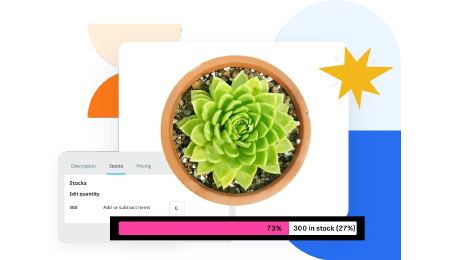 Countdown x Bar
 Xleft
Xleft Jump to Checkout
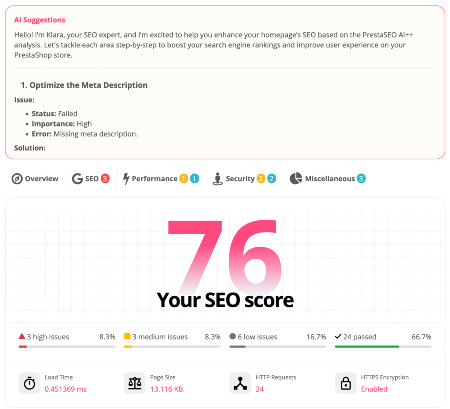
 PrestaSEO AI++
 Accessibility Guard
 SOO Agent Gateway
 SOO Agent Catalog Tools
 SOO Agent SEO Tools
 GDPR
GDPR Create a new account
PrestaShop WCAG Checkout Audit: Forms, Focus and Popup Risks
Checkout accessibility is where inclusive design and commercial risk meet. If a buyer cannot understand an error message, reach a payment field with the keyboard, or escape a popup, the store loses trust before any analytics report explains why.
A focused PrestaShop WCAG checkout audit should look at forms, focus movement, modal behavior, color contrast and error recovery. This is the support article that helps merchants understand why the product page for Accessibility Guard exists.
Check Form Labels First
Every input in the checkout path needs a programmatic name. Placeholder text is not enough. Audit customer details, delivery address, payment fields, voucher codes, newsletter consent and terms checkboxes.
Follow The Keyboard Path
Use the Tab, Shift+Tab, Enter, Escape and arrow keys across the checkout. The order should be logical, visible focus should never disappear, and no widget should trap the user without a reliable way out.
Review Popups And Dynamic Panels
Cookie notices, coupon popups, mini carts and payment overlays often create the worst barriers. A modal should announce itself, keep focus inside while open, close predictably and return focus to the trigger when dismissed.
Make Errors Understandable
A red border is not enough. Checkout errors need readable text, clear placement, association with the field, and instructions that explain how to fix the problem. This matters for accessibility and conversion.
Turn The Audit Into Release QA
The right pattern is to run checkout accessibility checks before theme updates, checkout module changes, popup campaigns and seasonal launches. Accessibility Guard for PrestaShop gives that recurring QA task a home inside the store workflow.
Frequently Asked Questions
Is checkout the only accessibility priority?
No, but it is the best place to start because barriers there directly affect purchases and support friction.
Do visual screenshots prove accessibility?
No. A page can look correct and still fail keyboard use, screen-reader naming, semantic structure or error recovery.
Should agencies run this before every release?
Yes. Theme edits, payment changes, popups and custom checkout work are exactly where accessibility regressions appear.
Next step: review Accessibility Guard for PrestaShop if you want this workflow closer to your store operations.