Cancel Order
 Logo Slider
 Cart Reservation
 Magic Menu
 PageSpeed
 DeleteX
 ChargeMe
 Age Restriction 18+
 DocumenThemix
 Agile Search
 Newsletter Popup
 IConvert Promotion
 Trusty Sale Proof
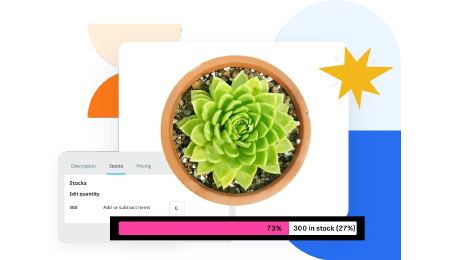 Countdown x Bar
 Xleft
Xleft Jump to Checkout
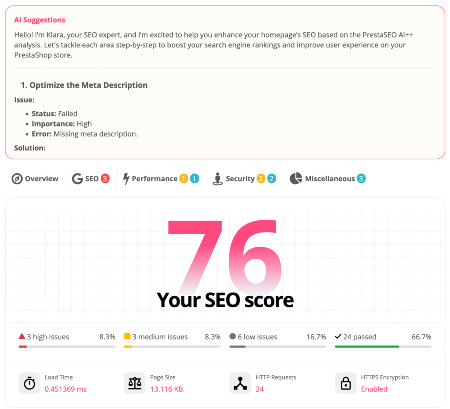
 PrestaSEO AI++
 Accessibility Guard
 SOO Agent Gateway
 SOO Agent Catalog Tools
 SOO Agent SEO Tools
 GDPR
GDPR Create a new account
How to Fix Low CTR in Google Search Console for PrestaShop Stores
If a PrestaShop page gets impressions in Google Search Console but almost no clicks, the problem is usually not indexing alone. Low CTR usually means the wrong page is ranking for the query, the snippet does not match search intent, or the search result does not look trustworthy enough to win the click.
The fastest wins come from reading the query pattern correctly, rewriting titles and meta descriptions for intent instead of raw keyword stuffing, and sending commercial queries to stronger landing pages. For merchants who want a repeatable workflow, this is where a tool like PrestaSEO AI becomes more useful than random title edits.
Short Answer
To fix low CTR in Google Search Console for a PrestaShop store, start with queries that already have impressions and rankings in the top 3 to 15 positions. Then match each query to the right page type, rewrite the title and meta description for intent, remove vague or generic snippet wording, and make sure the landing page immediately proves relevance once the user clicks.
Low CTR Fix Checklist
- Filter GSC to the last 28 to 90 days and sort by high impressions with weak CTR.
- Split branded, informational, comparison and buying-intent queries instead of mixing them together.
- Check whether the ranking URL is the right page: blog post, module landing page, category page or homepage.
- Rewrite titles to lead with the real problem or use case, not internal product language.
- Tighten meta descriptions to one clear promise plus a reason to click now.
- Add proof on-page: compatibility, screenshots, setup steps, support, refund or update policy.
- Link support articles to the commercial page with natural anchors that match the query journey.
How To Diagnose The CTR Problem
| GSC Pattern | Likely Problem | Practical Fix |
|---|---|---|
| High impressions, position 3-10, weak CTR | Snippet is too generic or does not answer the query fast enough | Rewrite title and meta for the exact intent and make the first 60 characters work harder |
| Informational query lands on a product page | Page type mismatch | Route the query to a support article, then link readers to the module with a clear CTA |
| Commercial query lands on a blog post | Buyer is forced through the wrong page | Strengthen the landing page and add internal links from support content back to the product page |
| Many impressions, almost no clicks after a recent rewrite | Title or meta may be over-optimized or unclear | Remove keyword stuffing, sharpen the promise and test a simpler angle |
| Clicks happen but nobody engages | Snippet promise and page reality are misaligned | Change the hero, trust blocks and CTA path so the clicked page fulfills the promise |
Read The GSC Pattern Before Changing Anything
Do not start by rewriting every title. In Search Console, filter by page and query, then look for URLs with meaningful impressions and average positions already close enough to compete. A page sitting at position 48 usually needs authority or relevance work. A page at position 5 with a weak CTR usually needs a better snippet and a more convincing page angle.
Separate Query Intent Instead Of Chasing One Average CTR
A query like "prestashop search console guide" wants education. A query like "prestashop seo module" wants a product. A query like "prestashop 9 seo audit checklist" may sit in the middle. When merchants treat these as one keyword bucket, they write titles that satisfy nobody. Split the query groups first, then decide which page deserves the click.
Fix The Snippet, Not Just The Keyword Density
CTR rarely improves because you stuffed the exact phrase three more times into the title. It improves when the title makes a clearer promise and the meta description reduces uncertainty. For example, mention the problem solved, the version compatibility, the workflow angle, or the outcome a merchant gets after reading or buying.
Choose The Right Page Type For The Query
If Google is surfacing a blog article for a buying-intent term, your product landing page may be too weak. If Google is surfacing a landing page for an educational term, you may need a support article that answers the question first. On PrestaSOO, this is why support content and module pages should work as a cluster instead of fighting each other.
Strengthen The Landing Page So The Click Is Easier To Win
Some low-CTR pages do not look dangerous in GSC, but they lose the click because the search result gives no reason to trust the destination. Add version compatibility, what the buyer gets after purchase, screenshots, install steps, support scope and a stronger CTA angle. That is especially important on new module pages where the market does not know the product yet.
Turn Search Console Into A Repeatable Workflow
A merchant should not inspect queries once, rewrite a snippet blindly, and disappear for a month. The practical loop is query review, page-type decision, snippet revision, landing-page trust improvement, internal linking and re-checking impressions, CTR and clicks after reindexing. PrestaSEO AI for PrestaShop fits this workflow when you want an operational layer for ongoing SEO QA, while SOO Agent SEO can support the more technical side of repeated analysis.
Helpful Public References
- Google Search Console performance report documentation
- Google guidance on titles and snippets
- Google guidance on creating helpful content
Frequently Asked Questions
What CTR is considered low in Search Console?
There is no universal threshold because CTR changes by rank, brand familiarity, device, SERP features and query intent. The practical definition is simpler: if a page gets enough impressions and sits close enough to compete, but still wins fewer clicks than similar opportunities, it deserves investigation.
Should I rewrite titles for every page at once?
No. Start with pages that already have impressions and realistic ranking positions. Broad title rewrites without query evidence usually create noise and make it harder to learn what actually changed performance.
Can low CTR be caused by the wrong page ranking?
Yes. That is common on PrestaShop stores. A blog post may rank for a buyer query, or a thin product page may rank for a question better answered by a support article. Fixing the page mapping often matters more than tweaking one sentence in the snippet.
How long should I wait before judging a CTR change?
Usually at least 7 to 14 days after a meaningful snippet or page change, and longer if crawl or indexing is slow. Compare the same page and query set, not a noisy sitewide average.
Next step: if you want this process inside a repeatable store workflow, review PrestaSEO AI for PrestaShop and the companion SOO Agent SEO landing page.
Request Indexing Checklist After CTR Fixes
After changing a title, meta description, internal link path or on-page proof block, do not wait for Google to discover the change passively. Use this checklist to request indexing cleanly and then measure the result without confusing crawl speed with ranking improvement.
- Open the final canonical URL in Google Search Console URL Inspection.
- Confirm the page is indexable, canonicalized to itself or the intended canonical, and not blocked by robots.txt or noindex.
- Click Request Indexing only after the live HTML shows the updated title, meta description, body copy and internal links.
- Submit the updated support URLs that now link to this CTR guide, not just this target URL.
- Record the submission date and compare GSC after 7, 14 and 30 days for impressions, clicks, CTR and average position.