Cancel Order
 Logo Slider
 Cart Reservation
 Magic Menu
 PageSpeed
 DeleteX
 ChargeMe
 Age Restriction 18+
 DocumenThemix
 Agile Search
 Newsletter Popup
 IConvert Promotion
 Trusty Sale Proof
 Countdown x Bar
 Xleft
Xleft Jump to Checkout
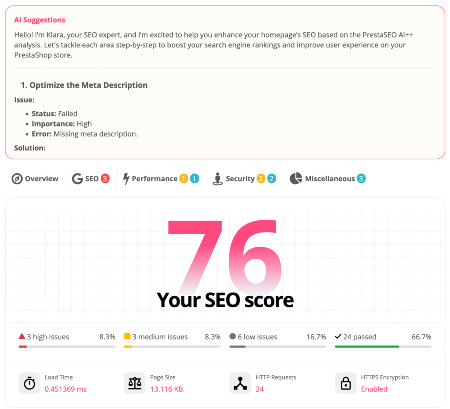
 PrestaSEO AI++
 Accessibility Guard
 SOO Agent Gateway
 SOO Agent Catalog Tools
 SOO Agent SEO Tools
 GDPR
GDPR Create a new account
PrestaShop Search Console Guide: Find SEO Opportunities in Real Data
Short answer: Google Search Console is the fastest free way to find PrestaShop SEO work that can produce sales impact. Start with pages that already have impressions, weak CTR, or near-first-page rankings, then improve the title, meta description, opening copy, internal links, and technical signals before writing new content.
This guide turns Search Console data into a practical store workflow. If you want to run the checks faster inside a PrestaShop SEO process, use it with PrestaSEO AI and the advanced SOO Agent SEO Tools.
Start with pages that already have impressions
- Sort Search Console pages by impressions and isolate URLs with weak CTR.
- Open the query report for each URL and compare the query intent with the visible title, H1, meta description, and first paragraph.
- Prioritize pages where the query is commercial or problem-aware: PrestaShop SEO module, PrestaShop meta tags, Search Console workflow, AI SEO audit, or PrestaShop 9 SEO.
PrestaShop Search Console checklist
| Signal | What to check | Action |
|---|---|---|
| High impressions, low CTR | Title and meta do not match the buyer problem. | Rewrite the snippet around the query and add a clear outcome. |
| Position 8-20 | The page is close but not decisive. | Add answer-first copy, internal links, FAQ, and proof. |
| Many queries, no clicks | The page may be too broad. | Create a tighter support article and link it to the product page. |
| Indexed page, wrong query | Google sees a different intent. | Clarify headings and remove keyword stuffing. |
Turn signals into module sales work
Use Search Console to decide which page deserves a sales rewrite. The fastest sequence is: improve the snippet, add a clear answer block, add a checklist, link to the relevant module, then measure CTA clicks. For AI SEO workflows, the main conversion target is PrestaSEO AI; for recurring technical QA, use SOO Agent SEO Tools.
FAQ
Should I optimize every PrestaShop page in Search Console?
No. Start with pages that already have impressions or commercial queries. Pages with no demand need a different content or distribution plan.
Is this an AI SEO workflow?
It becomes one when AI is grounded in Search Console data and a concrete page checklist. Random prompts are not enough.