Cancel Order
 Logo Slider
 Cart Reservation
 Magic Menu
 PageSpeed
 DeleteX
 ChargeMe
 Age Restriction 18+
 DocumenThemix
 Agile Search
 Newsletter Popup
 IConvert Promotion
 Trusty Sale Proof
 Countdown x Bar
 Xleft
Xleft Jump to Checkout
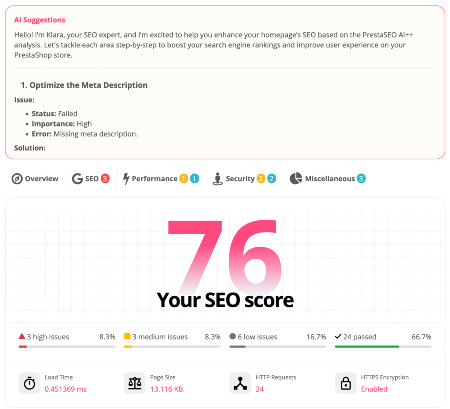
 PrestaSEO AI++
 Accessibility Guard
 SOO Agent Gateway
 SOO Agent Catalog Tools
 SOO Agent SEO Tools
 GDPR
GDPR Create a new account
PrestaShop 9 Module Compatibility: What Works and How to Check
Upgrading to PrestaShop 9 means every important module should be checked before production: checkout, payments, invoices, SEO, discounts, shipping and back office tools. This guide explains what changed, why older modules can fail, and how to test module compatibility safely.
Why Do Modules Break on PrestaShop 9?
PrestaShop 9 introduced several breaking changes that affect module compatibility:
- Symfony 6.4 migration — many back office controllers have been rewritten. Modules that override legacy admin controllers will break.
- PHP 8.1+ requirement — modules using deprecated PHP 7.x features will trigger errors.
- Twig templates — back office templates have been converted from Smarty to Twig in many areas.
- Removed legacy hooks — some old hooks have been deprecated or removed.
- API changes — the new Admin API uses a different authentication model (OAuth).
How to Check if a Module is PrestaShop 9 Compatible
- Check the module description — look for "PrestaShop 9" or "PS 9" in the compatibility list
- Test on staging — install the module on a PS9 staging environment and test all features
- Check the module PHP code — look for deprecated functions, legacy controller overrides, and PHP 7.x syntax
- Contact the developer — ask the module author about PS9 support timeline
PrestaShop 9 Compatible Modules from PrestaSOO
| Module | PS 1.7 | PS 8 | PS 9 | Status |
|---|---|---|---|---|
| DocumenThemix | Yes | Yes | Yes | Updated |
| Age Restriction 18+ | Yes | Yes | Yes | Updated |
| PrestaSEO AI++ | - | Yes | Yes | Updated |
| IConvert Promotions | Yes | Yes | Coming soon | In progress |
| Newsletter Popup | Yes | Yes | Coming soon | In progress |
| Countdown X Bar | Yes | Yes | Coming soon | In progress |
| DeleteX | Yes | Yes | Coming soon | In progress |
Common Module Issues on PrestaShop 9
1. Legacy Admin Controller Override
If a module overrides a legacy admin controller (e.g., AdminOrdersController), it will not work because PS9 uses Symfony controllers for most admin pages. The module must be updated to use Symfony-compatible hooks or CQRS commands.
2. Smarty Template Dependencies
Modules that modify back office templates using Smarty .tpl files may break in areas where PS9 has migrated to Twig. Front office Smarty templates still work with the Classic theme, but not with the new Hummingbird theme.
3. PHP Compatibility
Common PHP 8.x issues include: deprecated dynamic properties, stricter type checking, and removed functions like mysql_* (should use PDO).
Need Help?
If you are planning a PrestaShop 9 migration and need module compatibility advice, read our PrestaShop 9 complete guide or check our PHP version compatibility chart.
How to Declare PrestaShop 9 Compatibility in Your Module
If you develop PrestaShop modules, you must update the compatibility declaration in your module code:
// In your module main PHP file
public $ps_versions_compliancy = [
    "min" => "8.0.0",
    "max" => "9.99.99"
];
Also update your config.xml file:
<compatibility>
  <min>8.0.0</min>
  <max>9.99.99</max>
</compatibility>
How to Test a Module on PrestaShop 9
- Set up a local PS9 environment using Docker or XAMPP with PHP 8.3
- Install your module via the back office module uploader
- Check the error log at
/var/log/or enable PS debug mode: set_PS_MODE_DEV_totrueinconfig/defines.inc.php - Test all module features — install, configure, front office display, uninstall
- Run on PHP 8.3 strict mode to catch deprecation warnings
- Test with Hummingbird theme if your module adds front office elements
Full PrestaSOO Module Compatibility Table
| Module | PS 1.7 | PS 8 | PS 9 | PHP 8.3 | Notes |
|---|---|---|---|---|---|
| DocumenThemix | ✓ | ✓ | ✓ | ✓ | Fully updated |
| Age Restriction 18+ | ✓ | ✓ | ✓ | ✓ | Fully updated |
| PrestaSEO AI++ | — | ✓ | ✓ | ✓ | Fully updated |
| IConvert Promotions | ✓ | ✓ | Soon | ✓ | Update in progress |
| Newsletter Popup | ✓ | ✓ | Soon | ✓ | Update in progress |
| Countdown X Bar | ✓ | ✓ | Soon | ✓ | Update in progress |
| DeleteX | ✓ | ✓ | Soon | ✓ | Update in progress |
PrestaShop 9 Module Compatibility Checklist
| Check | What to Look For |
|---|---|
| PHP 8.1+ syntax | No deprecated functions, no dynamic properties without declaration |
| No legacy admin overrides | Module does not override AdminOrdersController, AdminProductsController etc. |
| Symfony-compatible hooks | Uses actionXxx and displayXxx hooks, not old legacy hooks |
| Smarty vs Twig | Front office: Smarty still OK. Back office: must be Twig for PS9 pages |
| Webservice vs Admin API | Legacy Webservice still works; Admin API preferred for new integrations |
| Composer dependencies | All vendor packages support PHP 8.1+ |
Frequently Asked Questions
Do all PrestaShop 8 modules work on PS9?
Not automatically. Modules that only add front office functionality (banners, popups, product page elements) usually work without changes. Modules that override admin controllers or use deprecated PHP 7.x features will need updates.
Where can I check official module compatibility?
Check the module listing on the PrestaShop Addons Marketplace — each module shows its compatible PS versions. Always verify on a staging environment before upgrading production.
What happens if I install an incompatible module on PS9?
PrestaShop will typically show a compatibility warning. In worst cases, the module may cause a fatal PHP error. Enable debug mode before testing incompatible modules, and always have a backup ready.
PrestaSOO modules already updated for PrestaShop 9
If you are upgrading a store to PrestaShop 9, start with modules that touch checkout, invoices, SEO, discounts and conversion. These areas are the most likely to break when PHP, Symfony or legacy PrestaShop APIs change.
- DocumenThemix — PDF invoice, delivery slip and document template module for PrestaShop 1.7, 8 and 9.
- IConvert Promotions — promo code, discount and conversion campaign module for PrestaShop 1.7, 8 and 9.
- PrestaSEO AI — AI SEO module for meta tags, SEO audit, URLs and local SEO on PrestaShop 1.7, 8 and 9.
- XLeft — free shipping progress and average order value module for PrestaShop 1.7, 8 and 9.
- Jump to Checkout — faster cart-to-checkout flow for PrestaShop 1.7, 8 and 9.
For a broader list, see the PrestaShop addons and modules marketplace.