 Cancel Order
 Logo Slider
 Cart Reservation
 Magic Menu
 PageSpeed
 DeleteX
 ChargeMe
 Age Restriction 18+
 DocumenThemix
 Agile Search
 Newsletter Popup
 IConvert Promotion
 Trusty Sale Proof
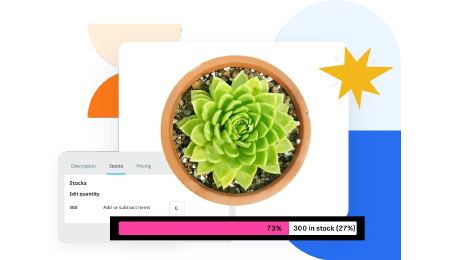 Countdown x Bar
 Xleft
Xleft Jump to Checkout
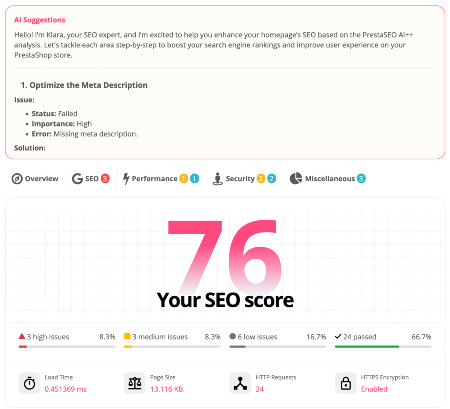
 PrestaSEO AI++
 Accessibility Guard
 SOO Agent Gateway
 SOO Agent Catalog Tools
 SOO Agent SEO Tools
 GDPR
GDPR Create a new account
PrestaShop Not Sending Emails: SMTP Fix Step by Step
PrestaShop not sending order confirmations, password resets, or contact form messages is one of the most common store problems — and it usually has a one-setting fix. Here is the complete diagnosis path.
1. First: where do emails get lost?
Emails from PrestaShop travel: PHP → mail function or SMTP → your provider → the customer's inbox. The failure point is almost always the first hop:
- PHP
mail()(PrestaShop's default) sends directly from your web server. Most hosts restrict it, and inbox providers distrust servers that send mail this way. - SMTP sends through a real email service, which inbox providers trust.
That is why the fix below almost always works: stop using PHP mail(), use SMTP.
2. Open the email settings
Advanced Parameters → E-mail
You will see two options:
- Use the PHP mail() function (default)
- Set my own SMTP parameters (for advanced users ONLY) ← choose this
3. Get SMTP details from your email provider
Every email service gives you a server name, port, and encryption type. Common ones:
| Provider | SMTP server | Port | Encryption | Notes |
|---|---|---|---|---|
| Gmail / Google Workspace | smtp.gmail.com | 587 | TLS | Needs an App Password (enable 2FA first) |
| Brevo | smtp-relay.brevo.com | 587 | TLS | SMTP key = login |
| SendGrid | smtp.sendgrid.net | 587 | TLS | username apikey |
| Your host's mail | usually mail.yourdomain.com | 465 / 587 | SSL / TLS | Ask your host |
For Gmail specifically: you cannot use your normal password. Go to your Google Account → Security → App passwords, and generate one for PrestaShop.
4. Fill in the SMTP settings in PrestaShop
In Advanced Parameters → E-mail, enter:
- SMTP server: from the table above
- Username: the full email address (or key)
- Password: the app password (or key)
- Encryption: TLS (or SSL for port 465)
- Port: 587 (or 465)
Leave Send test email to as it is for now.
5. Send the test email
Click Send a test email and enter your own address. In most cases the email arrives within a minute.
- Test email arrives → done. Order confirmations and password resets will use the same route.
- Test email fails → continue to step 6.
6. If the test still fails
Check these in order — one of them is always the cause:
- Port blocked by the host. Shared hosts often block outbound 25/587 by default. Ask your host to unblock them.
- Wrong encryption for the port. Port 465 = SSL, port 587 = TLS. Mismatch = connection error.
- Password not entered as generated. Re-type it directly from the provider's page — stray spaces or quotes break the SMTP connection.
- Sender address mismatch. The "from" address in
Shop Parameters → Contact → Contactsshould be on the same domain as the SMTP account. Gmail and inbox providers reject the mismatch.
7. Deliverability: emails arrive but go to spam
If the test email lands in the customer's spam folder, the SMTP route is fine but your domain needs authentication records:
- SPF — a DNS TXT record that lists your sending service.
- DKIM — the provider generates a TXT key; paste it into DNS.
- DMARC — a policy record that ties them together.
Every provider's dashboard shows the exact records and checks them for you. Until SPF/DKIM pass, inbox providers will keep second-guessing your mail.
8. What PrestaShop does NOT do
PrestaShop keeps no dedicated mail log. If PHP mail() fails silently, the back office usually shows nothing — check your host's mail logs as a second stop. SMTP makes this moot: errors surface immediately in the test step.
Related guides
- How to recover abandoned carts in PrestaShop — reminders only convert when mail arrives
- Stop spam registrations with reCAPTCHA — fake signups hit the same mailbox
Checklist
- SMTP selected (not PHP mail())
- Correct server, port, encryption
- App password used (for Gmail/Workspace)
- Test email received in inbox
- SPF + DKIM + DMARC records verified in DNS
- Order confirmation email received on a real test order
FAQ
Does PrestaShop send emails automatically when an order is placed? Yes — order confirmation emails go out via the route you configured here. If customers stop receiving them, check this SMTP setup first.
Why does my contact form send emails but not order confirmations?
Different templates use different "from" addresses. Check that every contact
in Shop Parameters → Contact uses an address on your SMTP domain.
Is PHP mail() ever the right choice? Only for very small stores on a host that permits and supports it. SMTP is more reliable and lets you switch providers without touching the store.
Where do I see the email status for an order? Sell → Orders → Order details shows whether the confirmation was sent — but
not whether it arrived. The customer's inbox provider decides that.

 PrestaSOO