 Cancel Order
 Logo Slider
 Cart Reservation
 Magic Menu
 PageSpeed
 DeleteX
 ChargeMe
 Age Restriction 18+
 DocumenThemix
 Agile Search
 Newsletter Popup
 IConvert Promotion
 Trusty Sale Proof
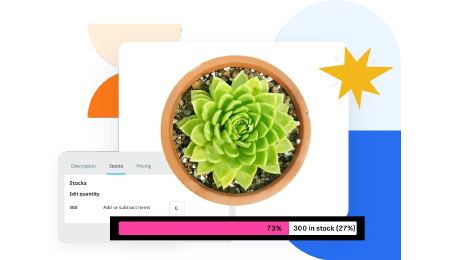 Countdown x Bar
 Xleft
Xleft Jump to Checkout
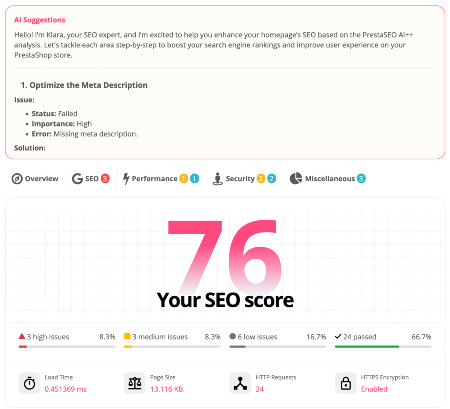
 PrestaSEO AI++
 Accessibility Guard
 SOO Agent Gateway
 SOO Agent Catalog Tools
 SOO Agent SEO Tools
 GDPR
GDPR Create a new account
PrestaShop + SendGrid SMTP Setup (No Free Plan)
SendGrid still works well with PrestaShop, but the plan changed: Twilio retired the free plan on 27 May 2025. New accounts get a 60-day trial at 100 emails a day, then a paid plan is required. Here is the SMTP setup, plus whether it is the right provider for your store in 2026.
1. What SendGrid costs now
| Plan | Price | Volume | Notes |
|---|---|---|---|
| Trial | Free, 60 days only | 100 emails/day | For new accounts |
| Essentials | from $19.95/mo | 50,000/mo at that price | The practical entry point |
| Pro | from $89.95/mo | higher volume | Adds dedicated IP options |
| Premier | custom | enterprise | — |
There is no permanently free tier. If you previously read a guide describing one, it predates May 2025.
The decision: SendGrid's Essentials plan is the cheapest paid path once the 60-day trial ends, and its price scales with the volume you pick. Brevo sends 300 a day free, and Amazon SES is metered per thousand emails at a lower rate. Both providers change prices, so check their current tables before you commit. Buy SendGrid if you already pay for Twilio, or if you specifically want its deliverability tooling.
2. Create the API key (this is the step people get wrong)
- Sign in to SendGrid.
- Go to Settings → API Keys → Create API Key.
- Choose Restricted Access and enable Mail Send → Full Access.
- Name it something you will recognise in six months, and create it.
- Copy the key now. SendGrid shows it exactly once and cannot show it again.
Two things break most SendGrid setups:
- The API key needs Mail Send permission. A key created with only "Read Access" authenticates successfully and then refuses every message.
- The SMTP username is the literal word
apikey. Not your account email, not the key. The password is the API key itself. Typing your SendGrid email as the username is the single most common failure.
3. Authenticate your sending domain
- Go to Settings → Sender Authentication → Domain Authentication.
- Choose your DNS host from the list and enter your store's domain.
- SendGrid returns three CNAME records.
- Add all three at your registrar exactly as shown.
- Return to SendGrid and click Verify.
If you cannot touch DNS and only need to prove one address, Single Sender Verification is the fallback, but it is weaker for deliverability and not recommended for order email.
4. Enter the SendGrid SMTP settings in PrestaShop
Go to Advanced Parameters → E-mail.
- Select Set my own SMTP parameters (for advanced users ONLY).
- SMTP server:
smtp.sendgrid.net - Username:
apikey— literally these six characters, lowercase. - Password: the API key from step 2, pasted. No trailing space.
- Encryption:
TLS - Port:
587
5. Send the test email
Use Send a test email in the same screen and send to an address you control.
- Arrives in the inbox → done.
- "Username and Password not accepted" → the username is not exactly
apikey, or the key was copied with whitespace. Re-paste both. - "Sender Identity not verified" → the from-address is not on an authenticated domain. Return to step 3 or set a verified address in
Shop Parameters → Contact → Contacts. - Arrives in spam → the domain authentication is incomplete or still propagating. DNS changes can take up to 48 hours.
6. Watch the trial expiry
The 60-day trial ends at 100 emails a day and sending pauses until you upgrade. On a store sending order confirmations this becomes visible fast: customers stop receiving confirmation emails while the back office reports them as sent.
Put a reminder in your calendar for the trial's end date, or start on a paid plan immediately if the store is live.
Related guides
- Which SMTP provider should your store use? — compare SendGrid's real cost against Brevo and Amazon SES
- PrestaShop not sending emails? Fix it with SMTP — the full diagnosis path
Checklist
- ☐ SendGrid account on a paid plan or an active trial
- ☐ API key created with Mail Send → Full Access
- ☐ API key copied and stored safely
- ☐ SMTP username set to exactly
apikey - ☐ Domain authentication CNAME records added and verified
- ☐
smtp.sendgrid.netentered as SMTP server - ☐ Port 587 with TLS selected
- ☐ Test email received in the inbox
- ☐ Trial end date recorded if you are on the trial
FAQ
Does SendGrid still have a free plan? No. Twilio retired the free Email API and free Marketing Campaigns plan on 27 May 2025. New accounts get a 60-day trial at 100 emails a day, after which a paid plan is required.
What is the SendGrid SMTP username for PrestaShop? The literal string apikey. The password is your API key. Your SendGrid account email is never the SMTP username.
Why does my SendGrid API key authenticate but fail to send? The key was created without Mail Send permission. Create a new key with Mail Send → Full Access and paste that one instead.
Is SendGrid worth the monthly fee for a small PrestaShop store? Usually not. A store under a few hundred orders a month fits inside Brevo's free plan, and Amazon SES is metered per thousand emails at a lower rate. Check both providers' current price tables before you decide.
Can I use SendGrid's Marketing Campaigns with PrestaShop? Marketing Campaigns is a separate product with separate pricing. The Email API configured here handles transactional mail only — order confirmations, password resets and contact forms.
What happens to order emails when the trial ends? Sending pauses. The PrestaShop back office still shows emails as sent, because it records the handoff to SMTP, not delivery. Customers silently stop receiving order confirmations until you upgrade.

 PrestaSOO