Cancel Order
 Logo Slider
 Cart Reservation
 Magic Menu
 PageSpeed
 DeleteX
 ChargeMe
 Age Restriction 18+
 DocumenThemix
 Agile Search
 Newsletter Popup
 IConvert Promotion
 Trusty Sale Proof
 Countdown x Bar
 Xleft
Xleft Jump to Checkout
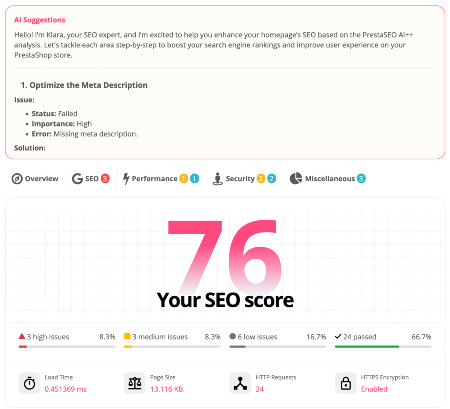
 PrestaSEO AI++
 Accessibility Guard
 SOO Agent Gateway
 SOO Agent Catalog Tools
 SOO Agent SEO Tools
 GDPR
GDPR Create a new account
PrestaShop SEO Guide 2026: 8 Steps + Free Audit Checklist
PrestaShop SEO Guide 2026: 8 Steps + Free Audit Checklist
Most PrestaShop stores are invisible to Google not because they lack products, but because the technical foundation leaks ranking signals: duplicate URLs, broken indexability, slow category pages, missing structured data. This guide walks through the 8 steps that actually move rankings for PrestaShop 1.6, 1.7, 8 and 9 — and ends with a free checklist you can run today.
Why PrestaShop SEO is different
Consider a typical store with 500 products, 40 categories and 8 manufacturers. Without configuration, Google can discover: 500 product URLs, 40 category URLs, 8 manufacturer URLs, paginated category pages (3–5 each), search-result URLs, and language variants — easily 2,000+ URLs where only ~550 deserve indexing. Every duplicate dilutes the signals of the real pages.
That is the core mental model for everything below: SEO in PrestaShop is consolidation before promotion. First make Google see exactly the pages you care about; then make those pages excellent.
Unlike a simple blog, a PrestaShop store has thousands of automatically generated URLs: product pages, category pages, manufacturer pages, search-result pages, pagination, currency and language variants. Google can waste crawl budget on duplicate versions of the same product. That is why PrestaShop SEO is mostly an engineering task: make sure Google sees one clean version of every page, then feed it strong on-page signals.
Step 1 — Crawl & indexability: robots.txt, sitemap, noindex rules
A common PrestaShop mistake is a robots.txt written years ago that still blocks /modules/, /cache/ and sometimes even /img/. Blocking images is especially damaging: Google cannot index your product photos, and your store loses all image-search traffic. A safe baseline looks like this:
User-agent: *
Disallow: /admin/
Disallow: /cache/
Disallow: /modules/
Disallow: /download/
Allow: /img/
Sitemap: https://www.yourstore.com/sitemap.xml
After editing robots.txt, test it with the robots.txt tester in Google Search Console, then monitor the "Pages" report: if "Discovered – currently not indexed" jumps after a change, you probably removed an allow rule that products relied on.
Start by checking what Google can actually crawl. Open your robots.txt (/robots.txt) and confirm it does not accidentally block products or categories. Generate an XML sitemap (PrestaShop 8/9 has a native sitemap; for 1.6/1.7 use a module) and submit it in Google Search Console.
Use noindex for pages that should not rank: search results, order confirmation, login, empty categories, and faceted-filter variants. Keep index,follow on product, category and CMS pages.
Audit check: in Google Search Console → Pages, look for "Excluded by noindex" and "Crawled – currently not indexed". Those are pages you are either wasting or losing.
Step 2 — Friendly URLs, canonical & duplicate handling
In Shop Parameters → Traffic & SEO → SEO & URLs, enable "Friendly URL" and choose a consistent format. The most reliable pattern for PrestaShop:
Product:  /{category}/{product}.html
Category: /{category}
CMS:      /content/{cms-slug}
Do not change URL formats after launch without 301 redirects — PrestaShop keeps a redirect table, but a mass URL change without mapping produces 404s that eat your rankings. If you do migrate, export the old-to-new URL map and verify each with the URL Inspection tool.
PrestaShop lets you rewrite URLs in Shop Parameters → Traffic & SEO → SEO & URLs. Enable "Friendly URL" and use the default or shorter format for products and categories. Every product must have one canonical URL; self-referencing canonicals prevent index bloat from ?id_product= variants.
Watch the classic PrestaShop duplicate traps:
- Products reachable via multiple category paths → pick one canonical category.
- Pagination duplicates (page 2, 3...) → canonical to self, keep them indexable if unique content, otherwise noindex.
- Currency/language switchers creating URL variants → rely on hreflang + canonical (see Step 8).
Audit check: search site:yourstore.com for the same product name appearing more than twice — each extra version dilutes ranking.
Step 3 — Titles, meta descriptions, H1 and images
A weak title is the cheapest ranking leak in e-commerce. Compare these two titles for the same product:
Bad: "Product 4821 – Shop now – MyStore"
Good: "Red Leather Crossbody Bag | Free Shipping | MyStore"
The good title puts the keyword first, adds a differentiator (free shipping) and stays under 60 characters so Google does not truncate it. Apply the same logic to categories: "Men's Running Shoes – MyStore" beats "Category 12".
Every product and category page needs a unique title tag (50–60 chars, keyword near the front), a meta description (140–160 chars, with a reason to click), and exactly one H1. In PrestaShop 8/9 these fields live under each product/category → SEO tab. For 1.6/1.7 the same fields exist in the product form.
Images: rename files descriptively (red-leather-bag-prestashop.jpg not IMG_4123.jpg), fill in alt text, and let the browser lazy-load below-the-fold images. Image SEO matters more for e-commerce than most guides admit — Google Images is a real acquisition channel for products.
Audit check: export product list, count empty title/meta/alt fields, fix the worst 20% first.
Step 4 — Category & product-page SEO
Here is a concrete category-copy formula that works for PrestaShop stores:
- One paragraph answering "what is this category and who is it for" (keywords naturally).
- One paragraph on materials/sizing/features that the products share.
- One short FAQ (2–3 questions) that captures long-tail variants: "are these machine washable?", "do they run small?".
Keep the copy above the product grid, not hidden in a tab at the bottom. Google reads what is near the top of the page first, and so do users.
Categories are your money pages. Write 150–300 words of unique copy per category (not boilerplate), add a descriptive H1, and structure subcategories clearly. Thin category pages with zero text rarely rank.
Product pages should answer the question behind the query: put the key spec in the first paragraph, use bullet lists for features, and add an FAQ block for long-tail questions (PrestaShop 8/9 supports CMS-based FAQ or a module). Unique product descriptions beat manufacturer copy every time — Google's helpful-content systems reward stores that describe their own products.
Step 5 — Internal linking
Internal links are the quietest ranking lever in PrestaShop. A few patterns that move rankings measurably:
- Blog → money pages. Every article you publish should link to 2–4 products or categories with descriptive anchor text ("PrestaShop mega menu module", not "click here"). This is how a blog compounds: one article feeds many pages.
- Related products with real links. The "related products" block only helps SEO if it renders as regular
<a>tags. JS-only carousels leak the value. - Breadcrumbs. Category breadcrumbs are internal links Google reads and users rely on. Make sure they are visible on product pages, not collapsed.
- Footer hubs. A footer linking to your 10 most important categories distributes authority from every page to those hubs.
Anchor text should be varied: exact keyword, partial keyword, and brand name. Over-optimized anchors on thousands of links look spammy.
Audit check: every important product should be reachable from the homepage in ≤3 clicks.
Step 6 — Speed & Core Web Vitals
Concrete targets to aim for in 2026 (mobile): LCP under 2.5s, INP under 200ms, CLS under 0.1. Most PrestaShop stores fail on LCP because the hero image is a 2MB photo loaded eagerly, and on CLS because banner sliders reserve no height. Fix those two and you pass the field.
A practical order of operations for a 1.7/8/9 store:
- Convert product images to WebP and set explicit width/height attributes (fixes CLS).
- Lazy-load everything below the first screen (fixes LCP for scroll-heavy category pages).
- Defer jQuery-dependent widgets that are not visible initially.
- Turn on server-side caching and test with a cold cache, not just warm.
Re-test in PageSpeed Insights after every step and keep a spreadsheet — speed work without measurement is guesswork.
Measure in Google Search Console → Core Web Vitals and PageSpeed Insights before/after each change. If you want the fixes pre-built, the free SOO PageSpeed module applies the standard bundle in one install.
Step 7 — Structured data
A minimal Product JSON-LD block for a PrestaShop product page looks like this:
{
  "@context": "https://schema.org",
  "@type": "Product",
  "name": "Red Leather Crossbody Bag",
  "image": "https://www.yourstore.com/img/p/red-bag.jpg",
  "offers": {
    "@type": "Offer",
    "price": "89.00",
    "priceCurrency": "EUR",
    "availability": "https://schema.org/InStock"
  }
}
Keep the price in sync with PrestaShop's live price — Google penalizes stores whose structured price does not match the page price. If you use a module that injects JSON-LD, verify it updates after price changes.
For PrestaShop e-commerce, the essential structured-data types:
- Product — name, image, price, availability, rating. This can enable rich results and product knowledge panels.
- BreadcrumbList — breadcrumbs on product/category pages.
- Organization / WebSite — site identity + sitelinks searchbox.
- FAQPage — for product FAQs and blog articles.
Validate every change in Google's Rich Results Test before deploying. Broken structured data is worse than none.
Step 8 — Multilingual/hreflang & Search Console validation
For a store selling in EN + FR + ES, each product needs reciprocal hreflang tags in the <head>:
<link rel="alternate" hreflang="en" href="https://www.yourstore.com/en/red-bag" />
<link rel="alternate" hreflang="fr" href="https://www.yourstore.com/fr/sac-rouge" />
<link rel="alternate" hreflang="es" href="https://www.yourstore.com/es/bolso-rojo" />
<link rel="alternate" hreflang="x-default" href="https://www.yourstore.com/en/red-bag" />
Common failure: PrestaShop language switcher uses cookies or session, so every language version appears to be the same URL to crawlers. Check by fetching each language URL in URL Inspection — if Google sees only one, hreflang cannot work. Also set hreflang alongside the canonical (they must point to the same language-specific URL, not the default).
If your store ships in multiple languages, implement hreflang correctly (PrestaShop's language switcher does not generate hreflang by itself — use a module or manual tags). Each language version of a product should be a separate indexed URL with reciprocal hreflang. For the same product in the same language but different countries, use hreflang + country-specific URLs and keep canonicals consistent.
Finally, make Search Console a habit: submit the sitemap, watch Coverage for errors, and use the URL Inspection tool to request indexing after significant changes.
10 PrestaShop SEO Tips That Make the Biggest Difference
These tips are ordered by return on effort. The first five are free and take an afternoon; the last five compound over months:
- Fix duplicate URLs before writing any new content — index bloat eats everything.
- One H1 per page, keyword at the front of the title.
- Write category copy: 150+ words of real text, not "products in this category".
- Compress images; most PrestaShop stores are 60% images by weight.
- Canonicalize pagination to self and keep page 2+ indexable with unique intro.
- Use internal links from blog articles to product pages (anchor text = product keyword).
- Add Product + FAQ structured data and re-test after every theme change.
- Keep an eye on crawl stats in Search Console after big changes.
- Refresh product descriptions seasonally — Google notices updates on product pages.
- Track rankings by page, not by homepage — most e-commerce queries hit category pages.
Free PrestaShop SEO Audit Checklist
Print this or keep it open while you work. Each box corresponds to a fix described in the steps above — if you cannot tick a box, go back to that step:
Run through this checklist once a quarter. Tick every box:
- ☐ robots.txt does not block products/categories
- ☐ XML sitemap submitted and current
- ☐ Every product has a self-referencing canonical
- ☐ No duplicate product URLs in the index (search
site:test) - ☐ Every product/category has unique title + meta description
- ☐ Exactly one H1 per page
- ☐ Images have descriptive filenames + alt text
- ☐ Category pages have 150+ words of unique copy
- ☐ Core Web Vitals pass on mobile
- ☐ Product structured data valid (Rich Results Test)
- ☐ Breadcrumbs visible on product pages
- ☐ hreflang correct for multi-language store
- ☐ Search Console: no critical Coverage errors
- ☐ Every key product reachable in ≤3 clicks from homepage
Run these checks automatically with PrestaSEO AI++ — it audits products, categories, CMS pages and metadata from inside your PrestaShop back office, and turns the findings into a fix list.
When should you use a PrestaShop SEO module?
Honest answer: not before the basics. A module will not fix a blocked robots.txt or a missing sitemap. But once the foundation is correct, a module pays for itself in three situations:
- Catalog size. 200+ products means 200+ title/meta fields to maintain. Spreadsheets die at this scale; automation survives.
- Recurring audits. SEO decays silently: a theme update drops schema, a bulk import empties metas, a redirect breaks. A module that re-checks monthly catches decay early.
- Content volume. Writing unique meta for every product is a full-time job. AI-generated drafts with human review cut the time from days to hours.
You need a module when the audit keeps finding the same five issues across hundreds of pages: missing metas, weak titles, broken redirects, indexability mistakes. Doing that by hand works for 20 products; at 200+ products it never happens. An SEO module automates the repetitive checks and keeps them running. PrestaSEO AI++ covers audits, AI-generated meta, redirect review and local checks for PrestaShop 1.7, 8 and 9 — with a free lite version to start.
Common PrestaShop SEO mistakes (and how to avoid them)
- Forgetting the search results pages.
/search?q=...&tag=...URLs get indexed and steal crawl budget. noindex them in one rule. - Ignoring manufacturer pages. If you do not use manufacturers meaningfully, disable or noindex them — thin duplicate pages rank for nothing.
- Using the same meta for all products. Google de-duplicates identical metas; the second page effectively disappears from results.
- Updating the theme and losing schema. After every theme change, re-run the Rich Results Test on a product page.
- No monitoring. SEO without a monthly check is a lottery. The audit checklist below is your monthly routine.
FAQ
Is PrestaShop good for SEO?
Yes — PrestaShop is technically capable of great SEO (friendly URLs, clean HTML, structured data support), but the default install leaves duplicates and slow pages unfixed. The 8 steps above close that gap.
Do you need a PrestaShop SEO expert?
If you have fewer than 100 products and the basics are working, a good checklist + module is enough. Hire an expert when you have indexation problems you cannot explain, migration fallout, or a competitive niche where ranking depends on technical edge. For most stores, systematic auditing beats paying for one-off advice.
What is the best PrestaShop SEO module in 2026?
The one that audits rather than only edits metas — PrestaSEO AI++ runs technical audits, generates AI metadata and reviews redirects for PS 1.7/8/9.
Should I use Google Shopping with my PrestaShop store?
Yes — Google Shopping is separate from organic SEO but feeds off the same product data quality. Clean titles, real descriptions and valid prices improve both channels. The technical steps in this guide (canonicals, structured data, speed) directly improve Shopping feed quality too.
How long does PrestaShop SEO take to work?
Fixes to indexability and canonicals can show in 2–4 weeks; content and authority signals take 3–6 months. The audit checklist gives you a measurable start immediately.
Next steps
Book one hour this week and run the checklist once. Write down the three biggest failures. Fix those three first — that is a complete first month of PrestaShop SEO, and it costs nothing but time.
You now have the complete PrestaShop SEO playbook. Do not try to implement all 8 steps in one weekend — the order matters:
- Week 1: Steps 1–2 (crawl, canonicals). Fix the foundation first.
- Week 2: Steps 3–4 (on-page). Titles, metas, category copy.
- Week 3: Steps 5–6 (links, speed).
- Week 4: Steps 7–8 (schema, hreflang, Search Console hygiene).
Then run the checklist quarterly. And when the audit keeps finding the same issues across hundreds of pages, that is exactly the moment to automate with a module instead of a spreadsheet.
Start with the checklist. Fix canonicals and indexability first (Step 1–2), then on-page (Step 3–4), then speed (Step 6). If you want the repetitive part automated, try PrestaSEO AI++ — and read our Best PrestaShop Addons 2026 guide for the rest of your stack.