Cancel Order
 Logo Slider
 Cart Reservation
 Magic Menu
 PageSpeed
 DeleteX
 ChargeMe
 Age Restriction 18+
 DocumenThemix
 Agile Search
 Newsletter Popup
 IConvert Promotion
 Trusty Sale Proof
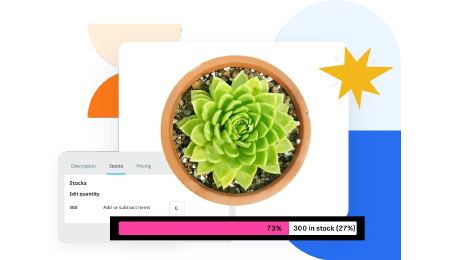 Countdown x Bar
 Xleft
Xleft Jump to Checkout
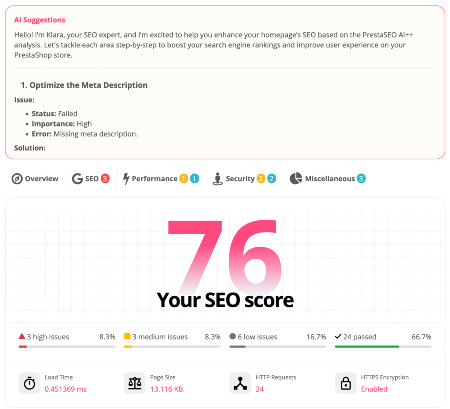
 PrestaSEO AI++
 Accessibility Guard
 SOO Agent Gateway
 SOO Agent Catalog Tools
 SOO Agent SEO Tools
 GDPR
GDPR Create a new account
PrestaShop 9 Admin API: Headless Commerce and Integration Guide
PrestaShop 9 introduces a brand-new Admin API built on API Platform with OAuth 2.0 authentication. This opens the door to headless commerce, custom front-ends, and deep third-party integrations that were not possible with the legacy Webservice API.
What is the PrestaShop 9 Admin API?
The new Admin API is a RESTful API built on API Platform, a PHP framework for building modern APIs. It uses OAuth 2.0 authentication, replacing the old API key system from the Webservice API.
Key Differences vs Legacy Webservice API
| Feature | Legacy Webservice (PS8) | Admin API (PS9) |
|---|---|---|
| Authentication | API Key (basic) | OAuth 2.0 (client credentials) |
| Framework | Custom XML/JSON | API Platform (standard) |
| Security | Limited | Modern OAuth flows |
| Headless support | Partial | Full |
What Can You Build?
- Headless storefronts — custom React, Vue or Next.js front-ends
- Mobile apps — native iOS/Android apps connected to your PrestaShop store
- ERP/CRM integrations — sync orders, products and customers with external systems
- Custom dashboards — build analytics and reporting tools on top of your store data
How to Enable the Admin API
- Go to Back Office → Advanced Parameters → API Access
- Create a new API client with the required scopes
- Note your client ID and secret
- Use OAuth 2.0 client credentials flow to obtain an access token
- Include the token in API requests as a Bearer token
Is the Legacy Webservice Still Available?
Yes. The legacy Webservice API still works in PrestaShop 9 for backward compatibility. However, the Admin API is the recommended approach for all new integrations.
Related Resources
See the full PrestaShop 9 guide for more technical details.
Getting an Access Token — curl Example
The first step is to create an API client in your back office (Advanced Parameters → API Access), then request a token:
curl -X POST "https://yourstore.com/oauth2/token"
  -H "Content-Type: application/x-www-form-urlencoded"
  -d "grant_type=client_credentials"
  -d "client_id=your_client_id"
  -d "client_secret=your_client_secret"

# Response:
{
  "access_token": "eyJ0eXAiOiJKV1Q...",
  "token_type": "Bearer",
  "expires_in": 3600
}
Making Your First API Call
Once you have the token, include it as a Bearer token in your API requests:
# List products
curl -X GET "https://yourstore.com/api/products"
  -H "Authorization: Bearer eyJ0eXAiOiJKV1Q..."

# Get a single order
curl -X GET "https://yourstore.com/api/orders/12345"
  -H "Authorization: Bearer eyJ0eXAiOiJKV1Q..."
Available API Scopes and Resources
| Resource | Scope | Methods |
|---|---|---|
| Products | product_read / product_write | GET, POST, PUT, DELETE |
| Orders | order_read / order_write | GET, POST, PUT |
| Customers | customer_read / customer_write | GET, POST, PUT, DELETE |
| Categories | category_read / category_write | GET, POST, PUT, DELETE |
| Cart Rules | cart_rule_read / cart_rule_write | GET, POST, PUT, DELETE |
| Carriers | carrier_read | GET |
| Currencies | currency_read | GET |
Real-World Use Cases
1. Headless Storefront
Build a custom React or Next.js front-end that fetches products, categories, and handles cart/checkout via the Admin API. PrestaShop handles the commerce logic; your custom front-end handles the UX.
2. Mobile App
Connect a native iOS or Android app to your PrestaShop store. The app authenticates with OAuth, then reads products, places orders, and checks order status via API — no web scraping required.
3. ERP/CRM Integration
Sync orders from PrestaShop to your ERP (e.g., SAP, Odoo) automatically. Use a cron job to poll for new orders via the Orders API and push them to your ERP. Update stock levels in PS from ERP via the Products API.
4. Custom Analytics Dashboard
Pull order, customer, and product data into a custom BI tool (Power BI, Metabase, Grafana) for deeper analytics than the built-in PrestaShop statistics.
Migrating from Legacy Webservice API to Admin API
| Aspect | Legacy Webservice | Admin API (PS9) |
|---|---|---|
| Authentication | API Key in header | OAuth 2.0 Bearer token |
| Token expiry | Never (static key) | 3600s (refresh needed) |
| Base URL | /api/products?output_format=JSON | /api/products |
| Response format | XML or JSON | JSON (JSON-LD) |
| Filtering | Query params | API Platform filters |
The legacy Webservice API remains functional in PS9 for backward compatibility. You do not need to migrate existing integrations immediately, but new integrations should use the Admin API.
Frequently Asked Questions
Is the Admin API available in PrestaShop 8?
No. The new OAuth-based Admin API is exclusive to PrestaShop 9. PrestaShop 8 uses the legacy Webservice API with API key authentication.
Do I need coding knowledge to use the API?
Basic REST API knowledge is required. You need to understand HTTP requests (GET, POST, PUT, DELETE), JSON data format, and OAuth 2.0 token flows. Libraries are available for PHP, Python, JavaScript to simplify this.