 Cancel Order
 Logo Slider
 Cart Reservation
 Magic Menu
 PageSpeed
 DeleteX
 ChargeMe
 Age Restriction 18+
 DocumenThemix
 Agile Search
 Newsletter Popup
 IConvert Promotion
 Trusty Sale Proof
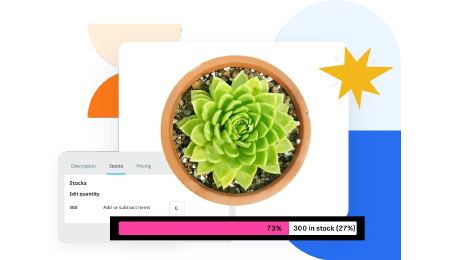 Countdown x Bar
 Xleft
Xleft Jump to Checkout
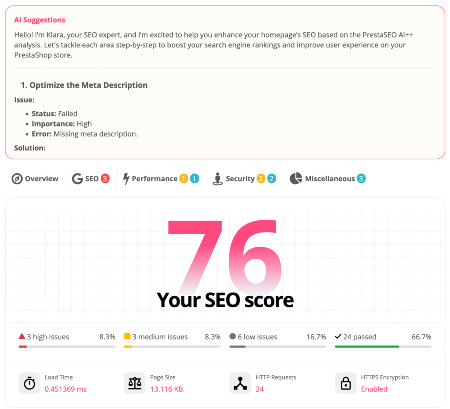
 PrestaSEO AI++
 Accessibility Guard
 SOO Agent Gateway
 SOO Agent Catalog Tools
 SOO Agent SEO Tools
 GDPR
GDPR Create a new account
PrestaShop 9 Module Compatibility: Which Modules Survive the Upgrade

PrestaShop 9 module compatibility is not only a checkbox on an Addons page. A module can install successfully and still break checkout, translations, theme rendering, cron jobs, or SEO output under a newer core.
Use this guide to classify your module stack before migration, especially if you are also moving toward Hummingbird, Symfony 6.4 based code paths, and newer PHP hosting.
Split Modules by Business Risk
Group modules into checkout and payment, shipping, catalog, SEO, legal documents, analytics, and visual theme layers. Payment and checkout modules deserve the earliest test window because a small compatibility issue can become immediate revenue loss.
Check Symfony 6.4 and Legacy Override Risks
A PrestaShop Symfony 6.4 error often comes from older service definitions, admin controllers, dependencies, or assumptions about the legacy kernel. Ask vendors whether the module was tested on the target PrestaShop 9 release, not just on a generic modern PHP stack.
Treat Hummingbird as a Front-Office Compatibility Test
The Hummingbird theme in the PrestaShop 9 ecosystem changes the frontend expectations for templates, assets, hooks, and layout behavior. Even if you keep a custom theme, test module widgets and checkout blocks against modern theme assumptions.
Do Not Over-Trust PHP Version Marketing
If a hosting plan promotes PrestaShop PHP 8.5 support, verify the claim against official PrestaShop requirements and each module vendor. Running ahead of the tested matrix can create subtle errors in checkout, image processing, or background jobs.
Replace Weak Modules Before the Final Migration
A migration is a good time to replace abandoned modules with maintained alternatives. Review the PrestaSOO Addons catalog for modules that match current PrestaShop workflows instead of carrying old technical debt forward.
Helpful Public References
Frequently Asked Questions
Does a PrestaShop 8 module automatically work on PrestaShop 9?
No. Some modules can work across versions, but compatibility depends on hooks, dependencies, PHP support, theme output, database changes, and vendor testing.
Should I test modules before or after data migration?
Test module installation and core workflows before the final data migration, then repeat checkout, SEO, translation, and order-document checks after importing real data into staging.
Next step: review PrestaSOO Addons catalog for PrestaShop if you want this workflow closer to your store operations.

 PrestaSOO